


Statiofy Pay is the Statiofy app for school supplies in Uganda. Here is what it looks like on phones and computers.
Chat and the Statiofy Bot
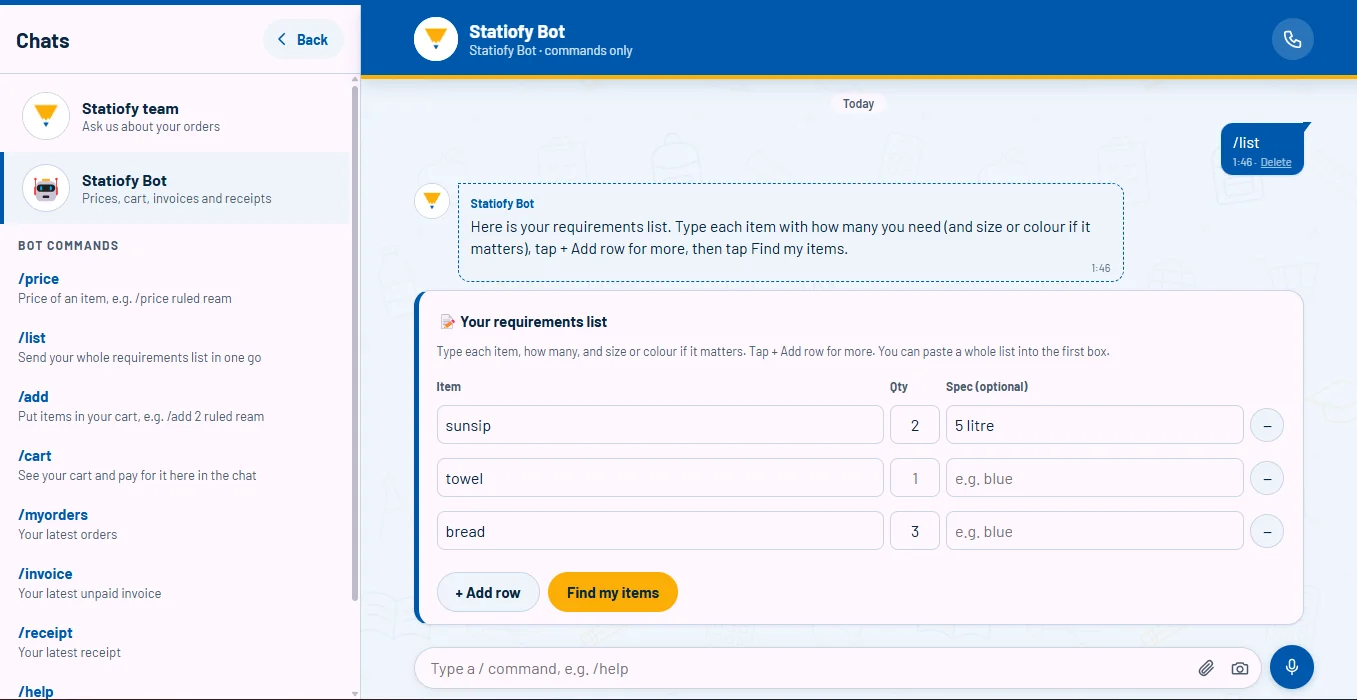
Send your whole school list to the Statiofy Bot
Type /list in the Statiofy chat to get a requirements form. Enter each item, how many and the size or colour, then tap Find my items.
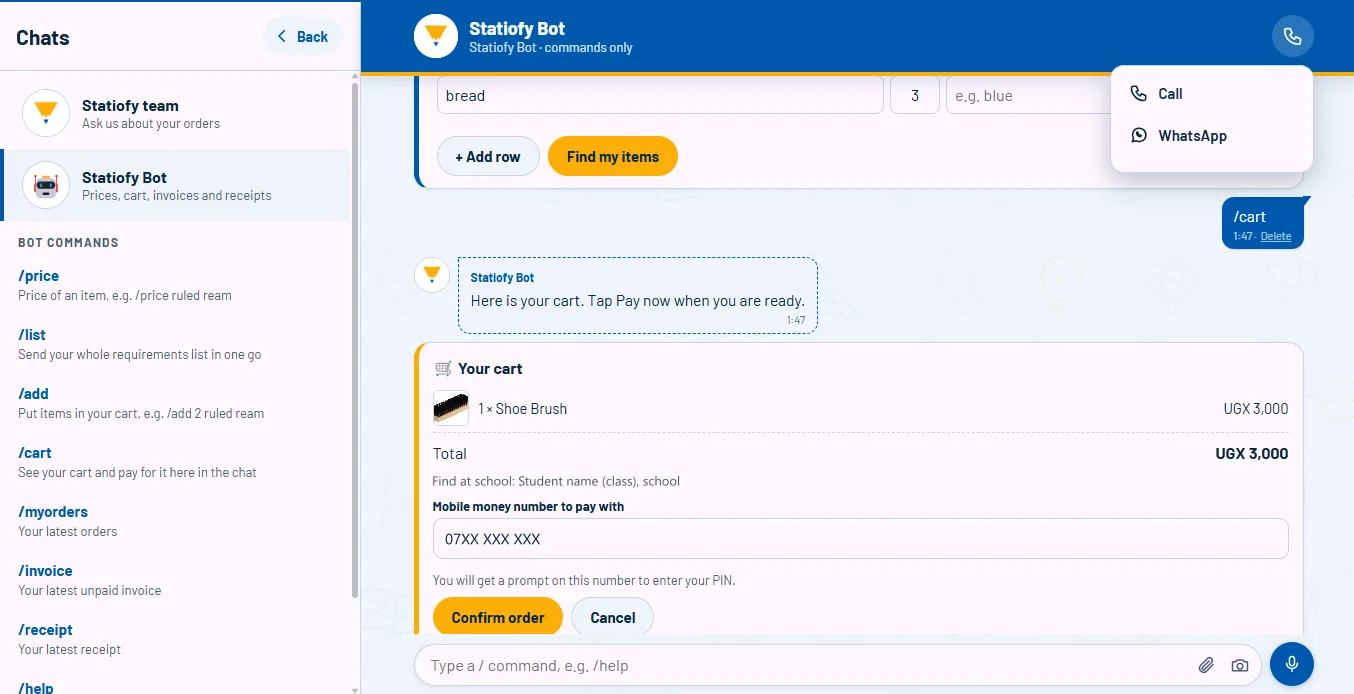
Pay for your cart inside the chat
The Statiofy Bot shows your cart with photos and the total. Confirm your Mobile Money number and approve the prompt on your phone.
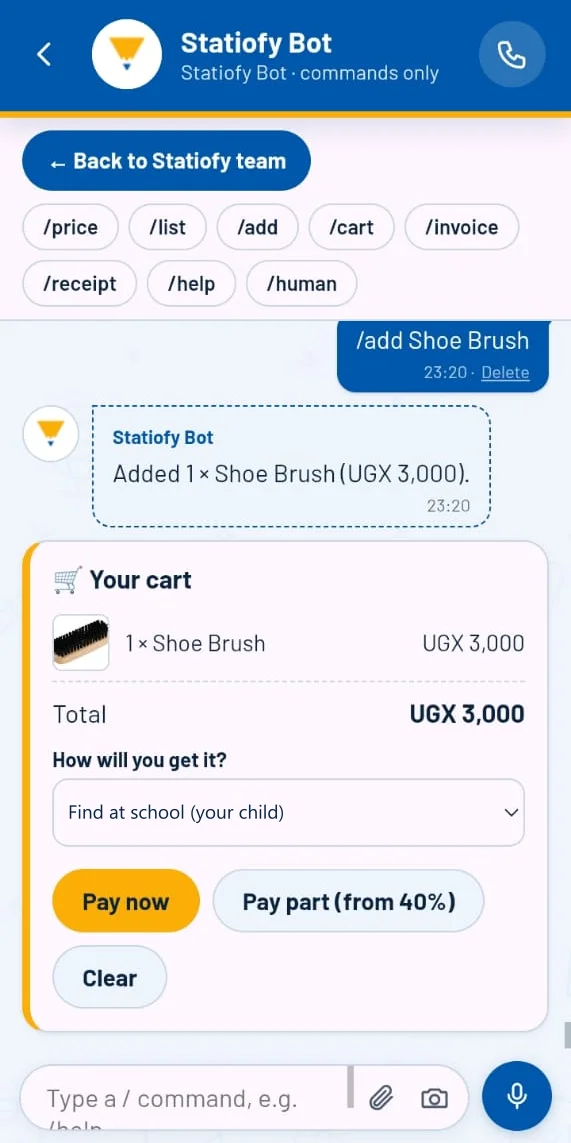
Statiofy Bot on a phone: add items with /add
Type /add and an item. The bot adds it to your cart, then choose how you get it and tap Pay now or Pay part (from 40%).
Shopping in the app
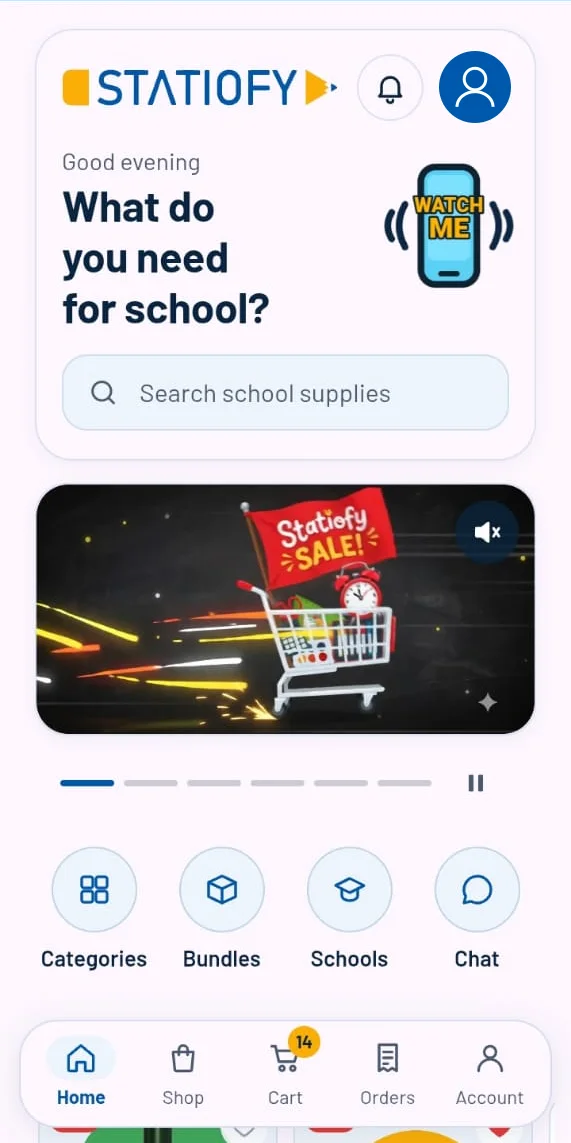
Statiofy Pay app home screen
Search school supplies, see the latest offers and jump to Categories, Bundles, Schools or Chat.
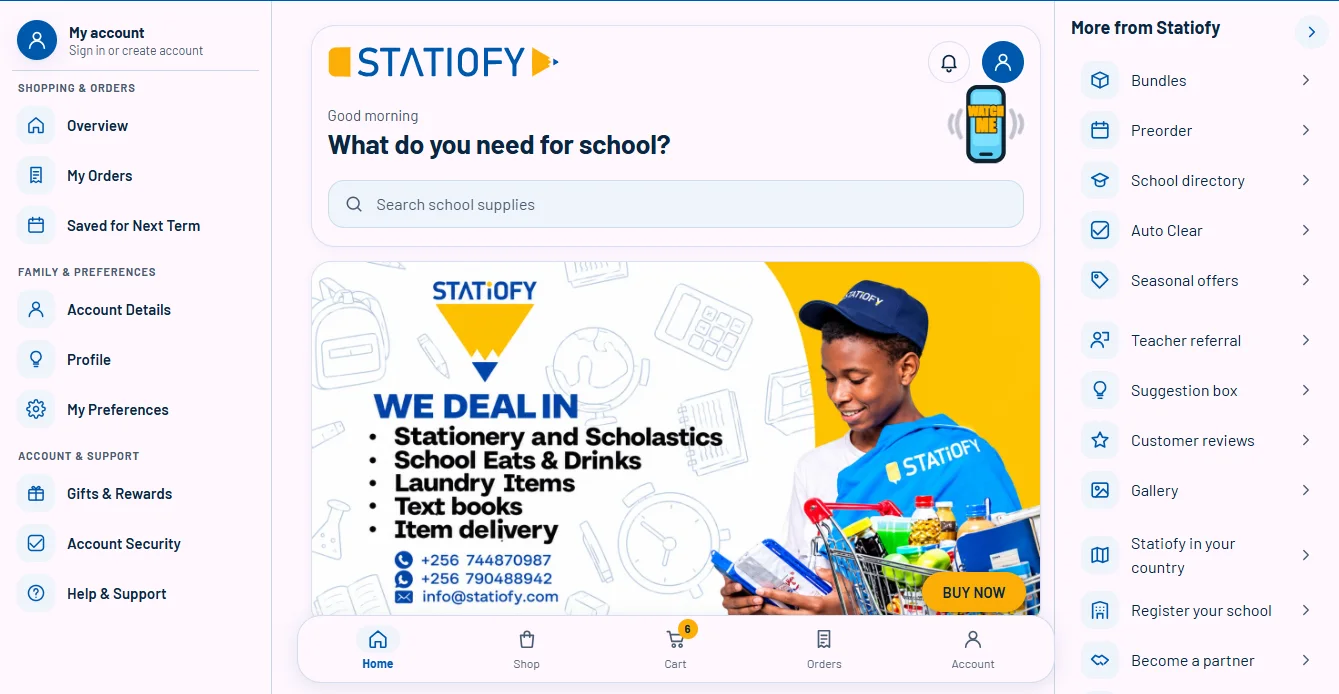
Statiofy Pay on a computer
The full app on a computer: your account menu on the left, search and offers in the middle and more Statiofy services on the right.
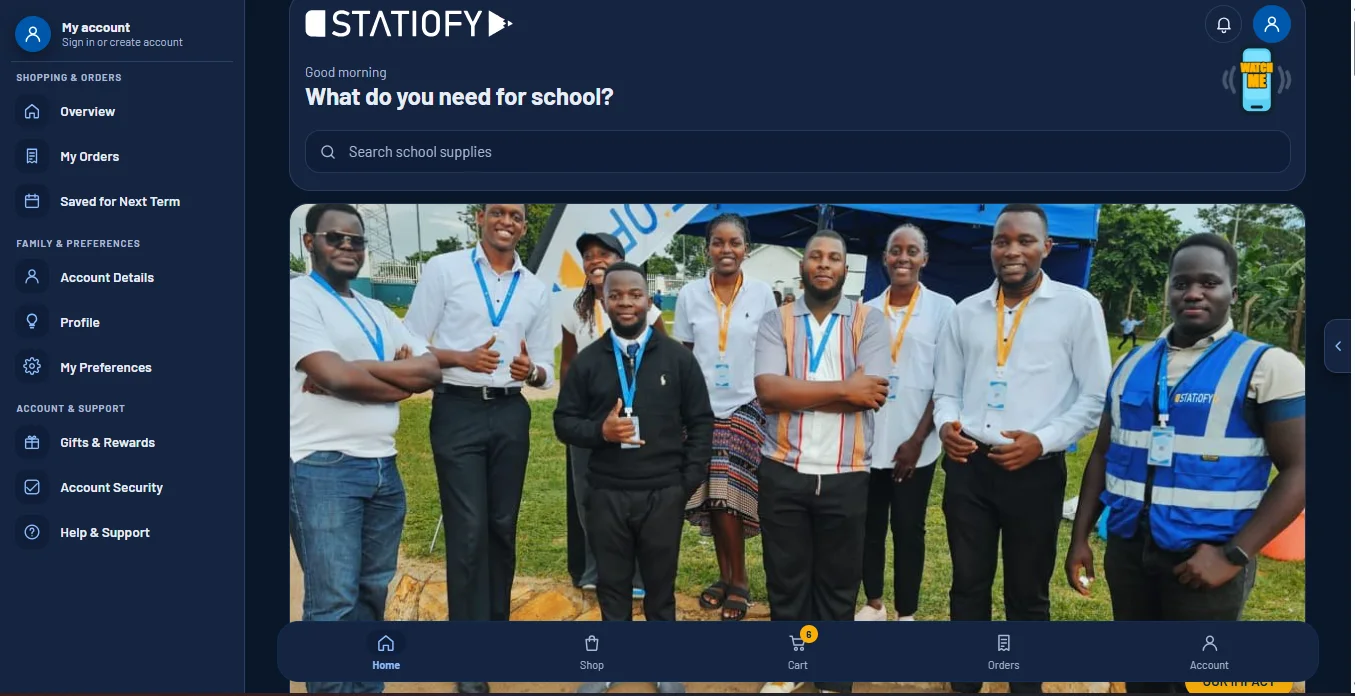
Statiofy Pay in dark mode
Dark mode for shopping at night, on phones and computers.
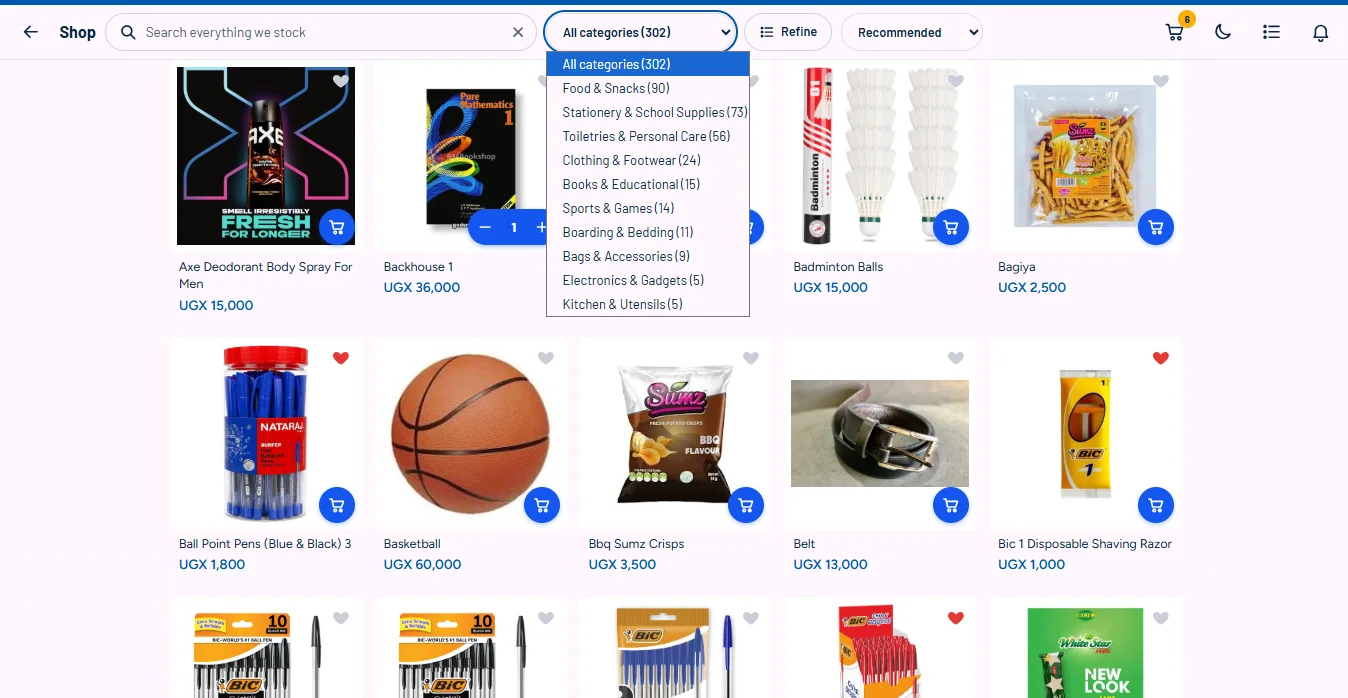
Shop school supplies by category
Browse over 300 items with photos and prices. Filter by category, such as Stationery, Food and Snacks or Toiletries, and add to your cart in one tap.
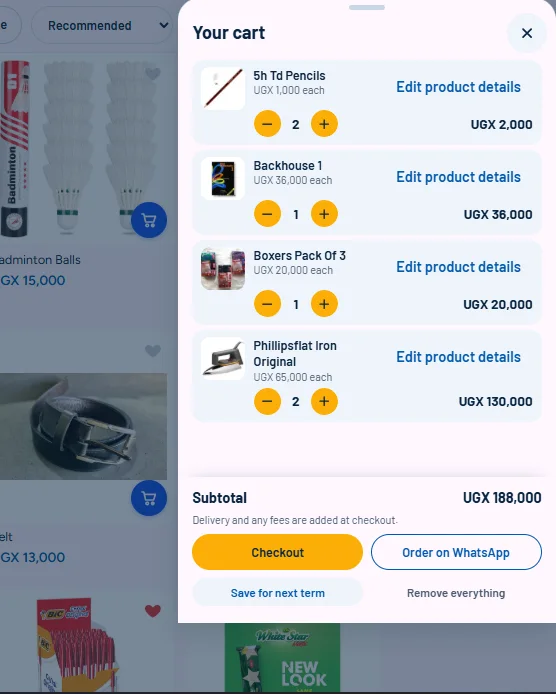
Your cart
Change quantities and check the subtotal, then check out, order on WhatsApp or save the list for next term.
Checkout and Mobile Money
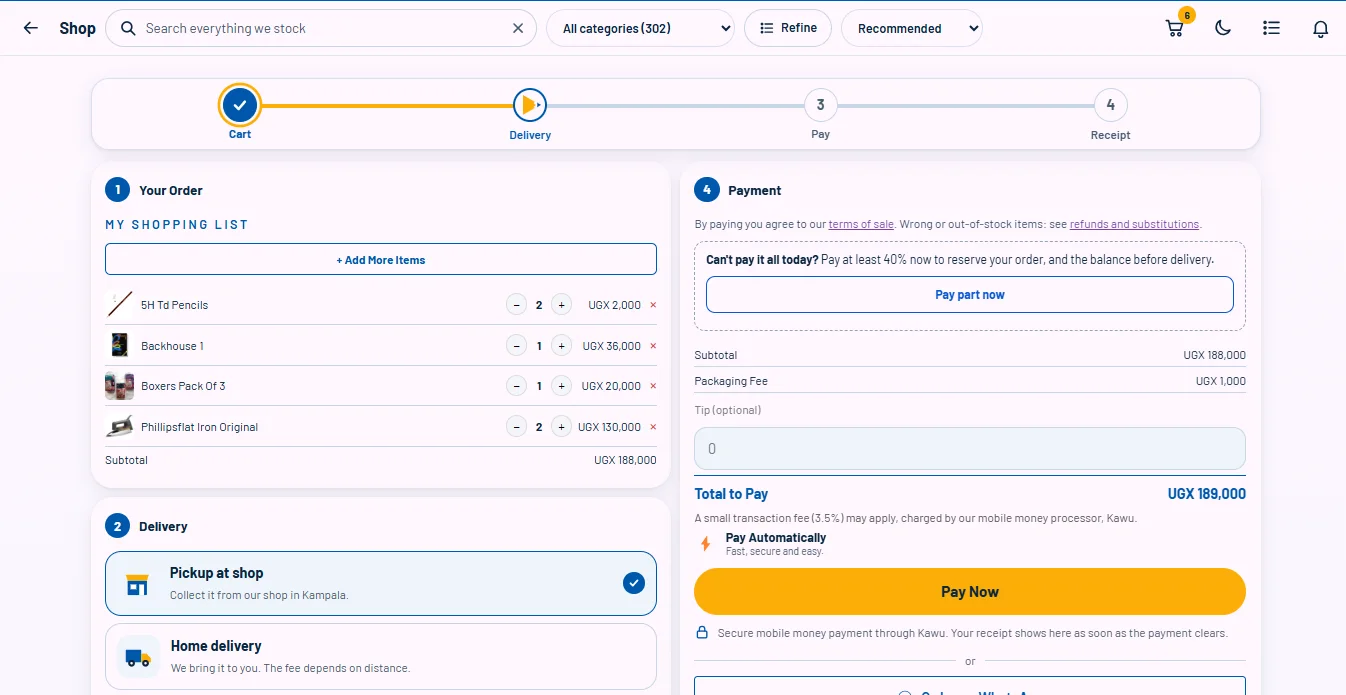
Checkout in four steps
Cart, Delivery, Pay, Receipt: review your order, choose delivery and pay with MTN or Airtel Mobile Money.
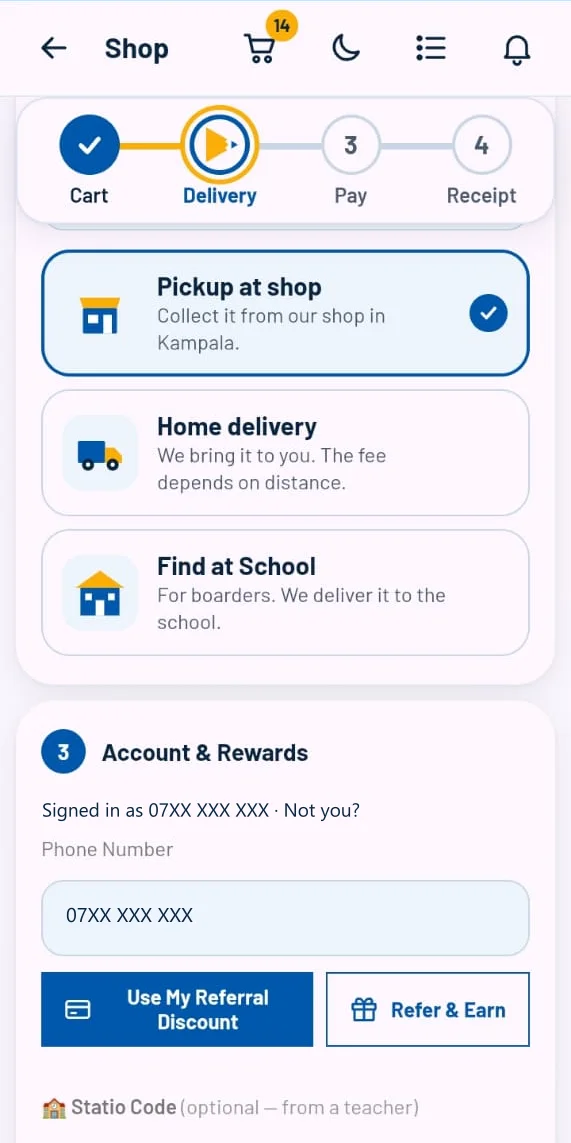
Pickup, home delivery or Find at School
Collect your order from the shop in Kampala, have it delivered home, or have it delivered to your child at boarding school.
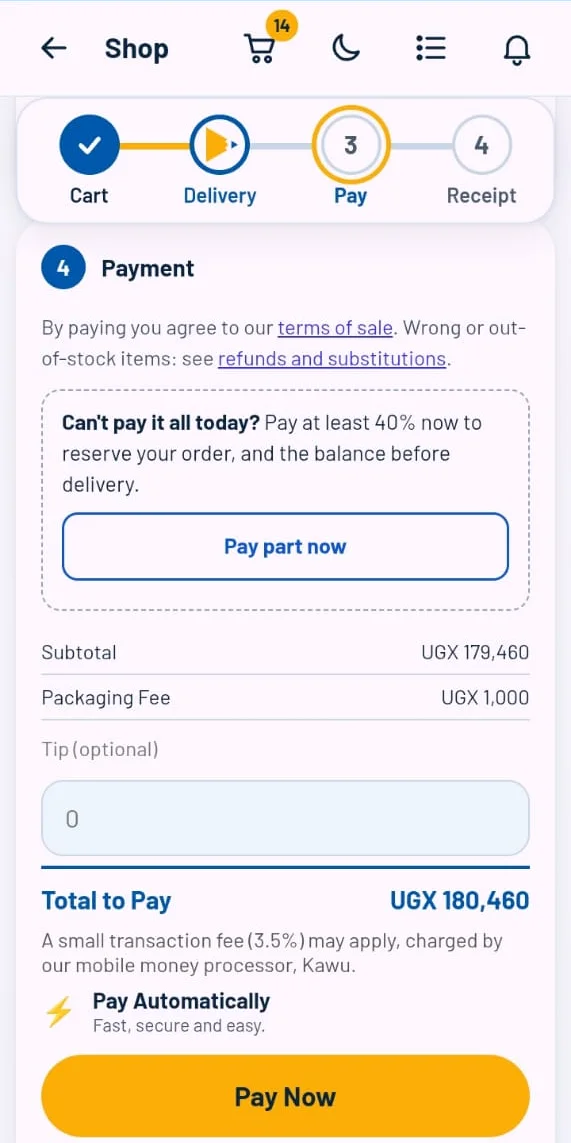
Pay in full or pay part now
Pay the whole total with Mobile Money, or pay at least 40% now to reserve your order and the balance before delivery.
School requirement lists
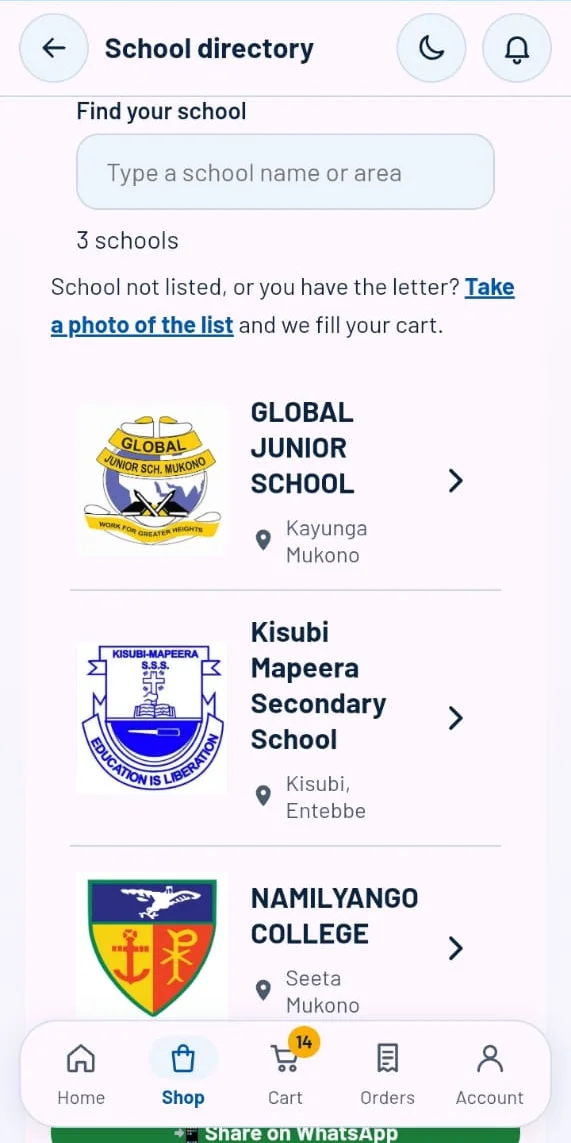
School directory
Find your school's requirement lists, or take a photo of the school list and Statiofy fills your cart.
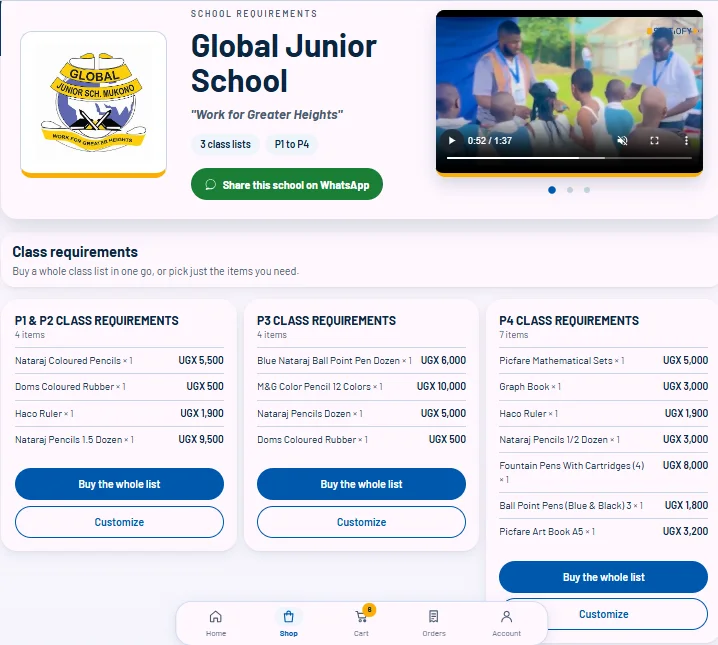
Buy a whole class requirements list
Every class list with its prices. Buy the whole list in one go, or customise it first.
Orders and receipts
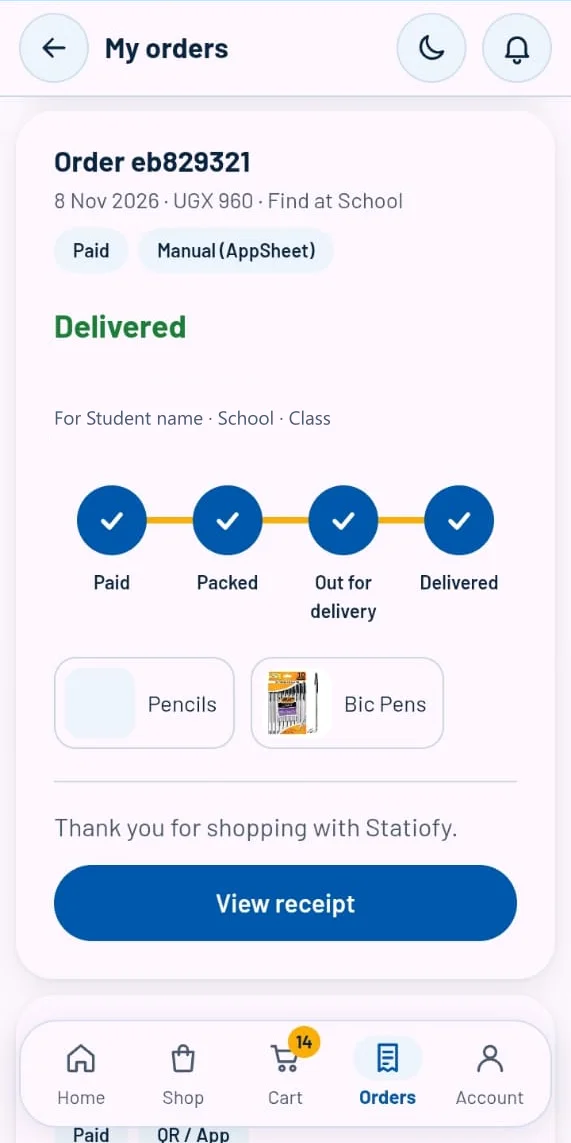
Track every order
Follow each order from Paid to Packed, Out for delivery and Delivered, with the receipt one tap away.
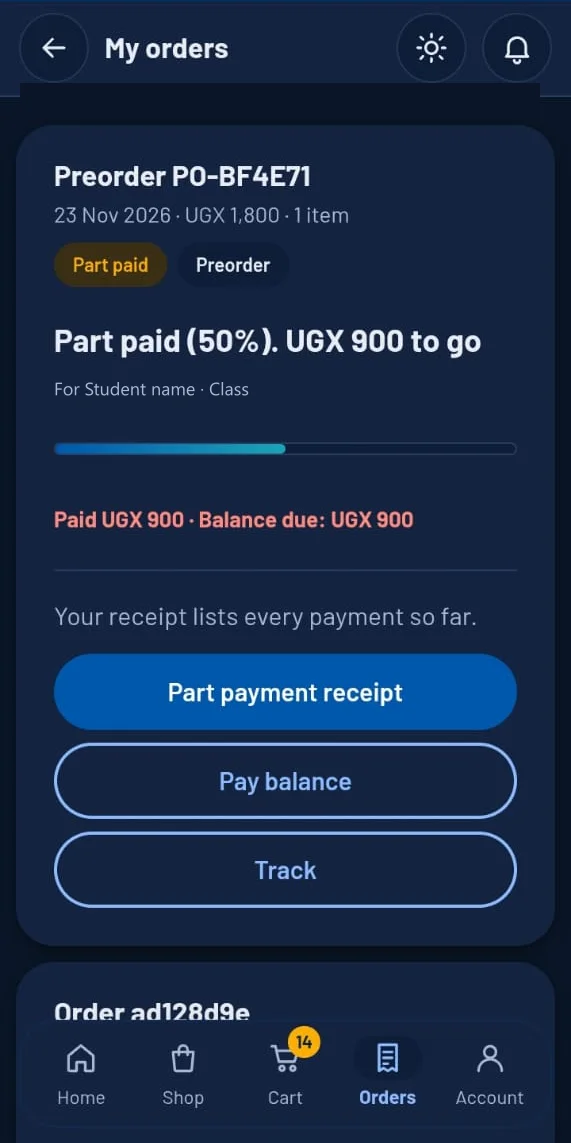
Part payments and preorder receipts
Orders paid in parts show how much is paid, the balance due, the part payment receipt and a Pay balance button.